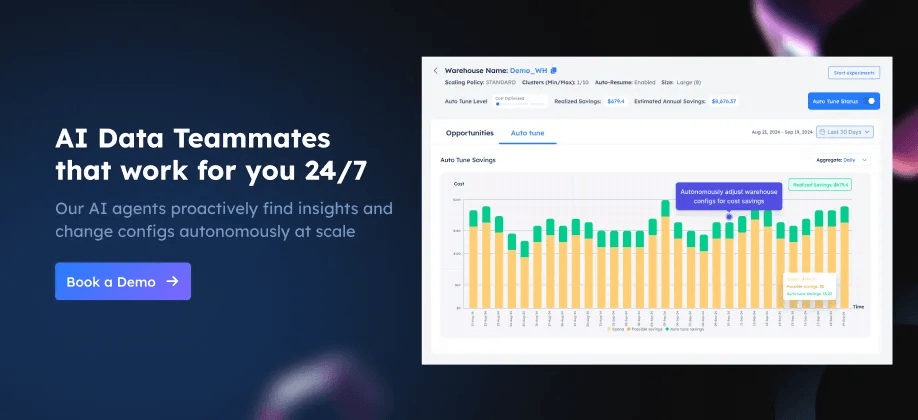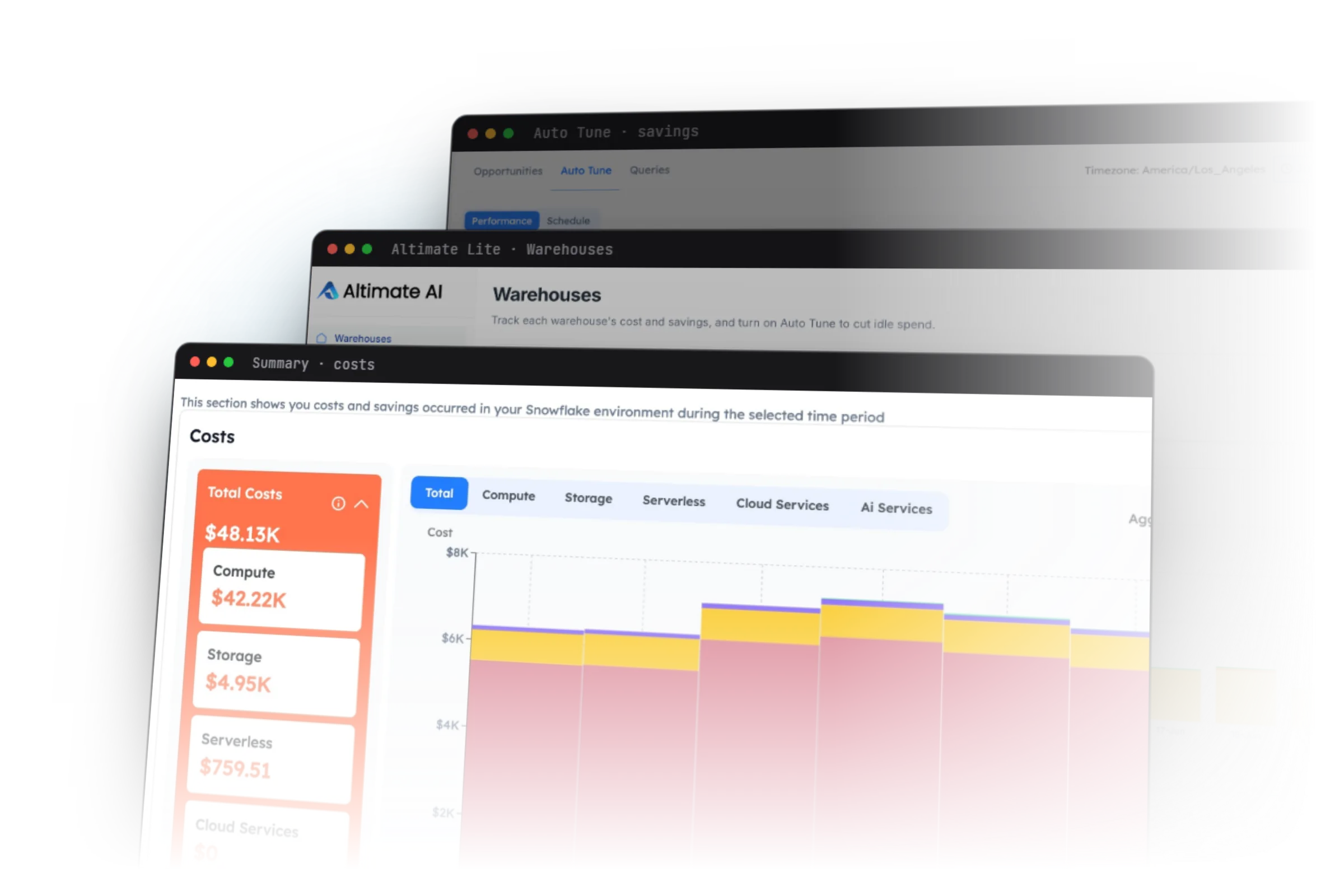
In my previous article on Dynamic Tables, I explained their purpose, to help simplify building transformation pipelines for either batch or real time data feeds in Snowflake. In this article, I'll explain what they cost to run and how Artificial Intelligent Agents can be used to automatically monitor, alert and even deploy remedial action to control cost.
Skeptical? Read on to see how to reduce the annual cost of running three Dynamic Tables from $6.3m to just $26,280.
Dynamic Tables Cost Components
It may not be obvious but Dynamic Tables include multiple cost elements including:
Cloud Compute: Dynamic Tables are automatically refreshed on a repeating sequence depending upon the TARGET_LAG. For example, once per minute or once per hour.
Data Storage: Like any table, Dynamic Tables store data, and this will be billed at £23 per terabyte per month.
Warehouse Cost: Every time the Dynamic Table is refreshed it (currently) needs a Virtual Warehouse to execute the SQL, and this is billed on a per-second basis with a minimum of 60 seconds.
Let's consider each of these elements and it's potential impact upon the overall cost of ownership.
Cloud Compute Cost
This is by far the least expensive of the three cost elements and results from the automatic scheduling executed in the Cloud Services layer. Determined by the TARGET_LAG, the DT "wakes up" and checks if there any changes in the upstream table(s). This is likely to be thousands of a dollar each time, and for 99% of customers is free, unless it becomes more than 10% of your daily warehouse cost.
In short, don't worry about this.
Dynamic Table Storage Cost
While you need to store data in Snowflake (and therefore you'll be billed a passthru cost of £23 per terabyte), it's not clear that Dynamic Tables add to the storage cost. Consider the diagram below.
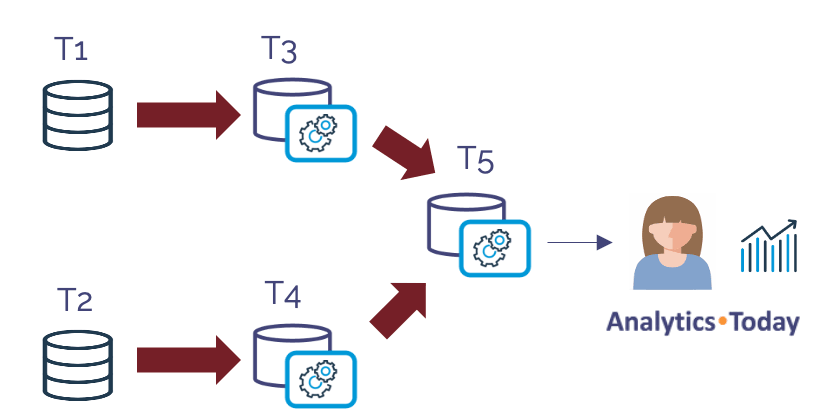
In the above diagram tables T1 and T2 are default tables, wheres T3, T4 and T5 are dynamic tables. If we assume T1 and T2 hold 1TB of data storage, and the transformation to T3 and T4 is simply to perform a basic data quality correction (for example, setting in incorrect SALES_TYPE column to NULL when the values are incorrect), then tables T3 and T4 will equally hold around 1TB of storage.
If the results of T3 and T4 are then combined using a JOIN operation into a single table T5 - ready for querying, this adds another 2TB to storage.
In total we store 6TBs of storage.
However, if we were not using Dynamic Tables, then tables T1 and T2 could be deleted down each time the new entries where processed. Likewise, once the process to join the tables and produce T5 was complete, tables T3 and T4 could be deleted.
This means, a solution without Dynamic Tables could deploy the same functionality in 2TBs compared to 6 TBs.
Data storage is a relatively minor cost on most Snowflake systems, but it's a cost worth understanding.
Dynamic Tables Warehouse Cost
This is almost certainly the greatest cost associated with Dynamic Tables, although unlike the data storage example above, there's no additional cost when compared to a transformation pipeline without DTs.
Effectively, each time a Dynamic Table triggers a refresh (provided there's changed data in the upstream tables), Snowflake executes the associated SQL on a Virtual Warehouse. However, even this has a potential gotcha. Consider again the diagram below.
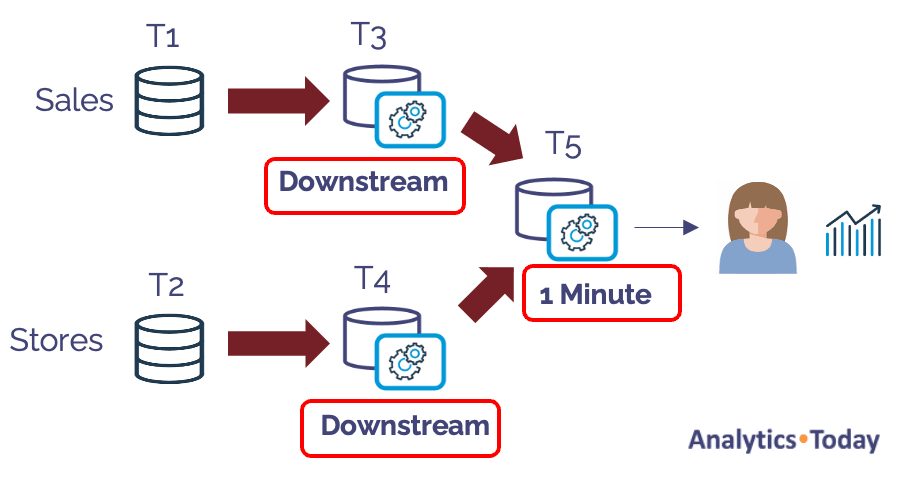
The diagram above illustrates the same transformation pipeline, with two source tables and three dynamic tables. Notice that two of the tables are marked as Downstream? This means their refresh rate is determined by the downstream table - in this case a table refreshed every minute.
Let's assume new data is automatically inserted into the Sales table using Snowpipe which runs on a 24x7 basis. The Stores data is however, refreshed once per day.
Can you see what might happen to the cost profile of this simple transformation pipeline?
As new sales are automatically loaded into the Sales table (T1), Dynamic Tables T3 and T5 are automatically refreshed based upon the one minute TARGET_LAG.
Let's assume all Dynamic Tables were initially deployed on an XSMALL warehouse, this incredibly simple transformation pipeline would cost up to $1,576,800 per year. Worse still, if the warehouse was subsequently increased in size to a MEDIUM, this would increase to a shocking $6.3m a year for a single warehouse.
Around four years ago, I did a consultancy visit to a customer in Munich Germany who had deployed a similar pipeline, also running 24x7 and were shocked by the high cost. The customer justified the 24x7 operation because the system tracked global internet based sales, and could therefore receive sales 24x7.
After some time on the whiteboard to map out the equally simple pipeline, I understood the problem and asked the customer - "So, where are your Data Analysts based".
I'm sure they thought it was a stupid question, as their reply was like talking to a five year-old. "Here in Munich, John".
In response, I asked whether the Data Analysts were looking at the data at 4am, and if not, why were we processing data at 4am and paying for a virtual warehouse to wake up every minute leading to a huge bill?
Finally, I also questioned, why they were continuously processing data every minute. What action would the analysts take that needed the data to be as little as one minute stale?
In conclusion, the same transformation pipeline cost, even on a MEDIUM size warehouse could be cut by 50%, simply by suspending the Dynamic Table refresh from 8pm to 8am using a Snowflake Task.
We could further reduce the cost by a factor of four by executing the following SQL statements.
alter dynamic table T3
   set warehouse = DT_XSMALL_WAREHOUSE;
alter dynamic table T4
   set warehouse = DT_XSMALL_WAREHOUSE;
The two simple SQL statements move the refresh operation to an XSMALL warehouse costing 25% of the cost. Of course, we'd need to check the refresh performance was acceptable, but assuming an INCREMENTAL refresh method, this should be pretty fast to complete.
Finally, we should question whether the Data Analytics really need the data refreshed every minute. Executing the following SQL would reduce costs by a factor of 60.
alter dynamic table T5
   set target_lag = '1 Hour';
"Never give a user what they ask for, give them what they need" - Dr. David Pearson.
Can Artificial Intelligence Help?
As I've described before, a new breed of Artificial Intelligent Agents can be used to tirelessly monitor, alert or even adjust system configuration. It's like having an Artificially Intelligent Database Administrator proactively tuning your system.
However, the challenge of tuning a multi-petabyte analytic platform which charges using a pay-for-use basis is more challenging that you'd expect.
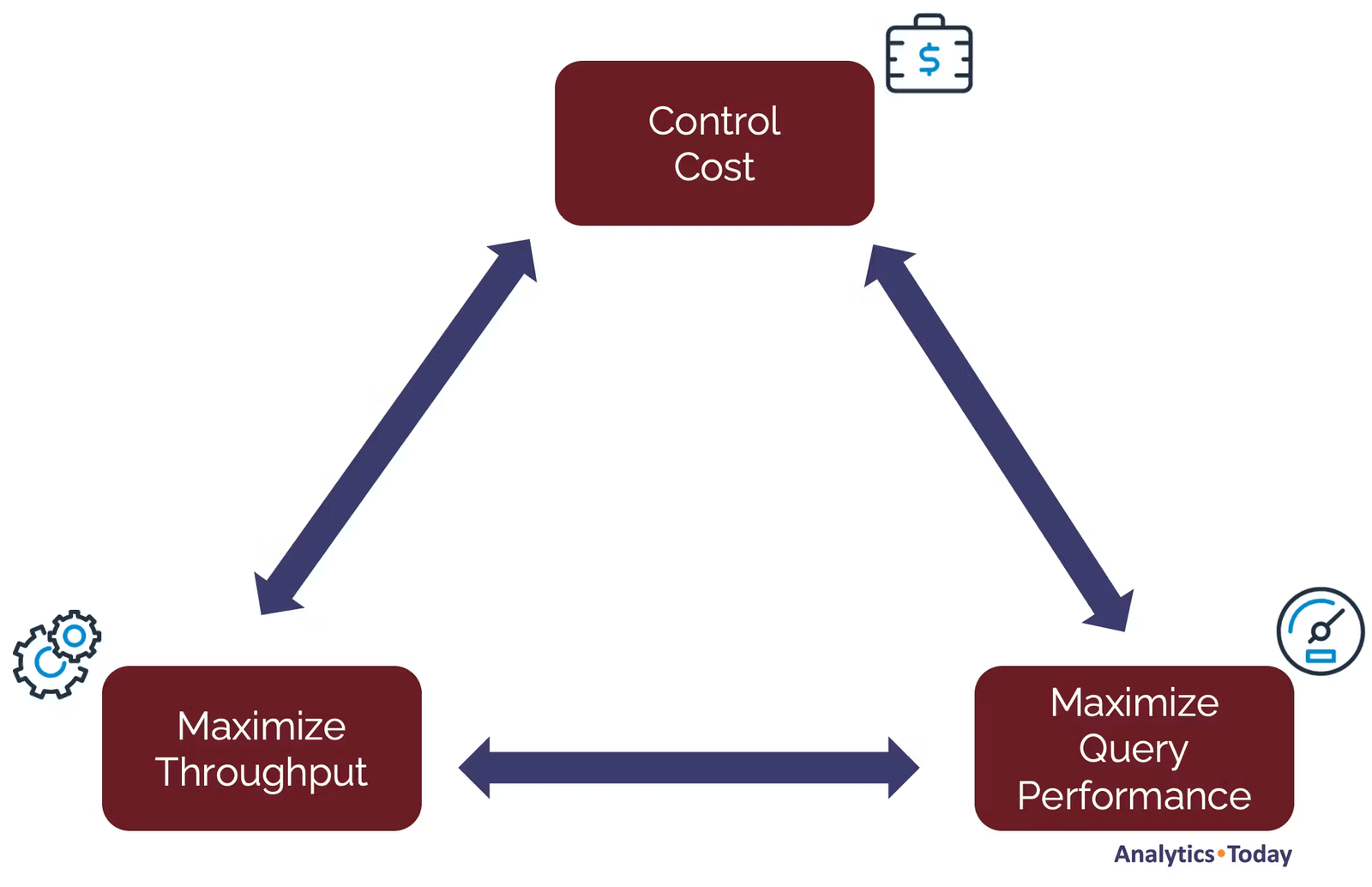
The diagram above illustrates the primary challenge, balancing the need to maximize throughput of large (mainly batch) transformation jobs, and maximizing performance of end-user queries while also optimizing spend.
There are also some critical facts about Snowflake which need to be understood:
Around 80% of the cost of running a Data Warehouse comes from repeating automated jobs. The majority of these tend to be batch oriented and many prioritize throughput over performance - the need to regularly deliver data, perhaps once per hour or once per day.
Years of research with over 50 Snowflake customers and thousands of queries against real customer data have demonstrated that most customers have a poor virtual warehouse deployment strategy which potentially leads to significant cost overspend.
Snowflake Dynamic Tables have the fastest growth in uptake of any Snowflake feature and are likely to become the gold standard for data transformation on Snowflake. However, unlike hand-coded ELT jobs, the warehouse size and execution frequency can be easily adjusted as these are entirely configurable in the Dynamic Table definition.
Taking both the problem (balancing throughput, performance and cost), with the configurable nature of Dynamic Tables means it's possible to automatically monitor and even change system configuration in real-time using Agenic AI.
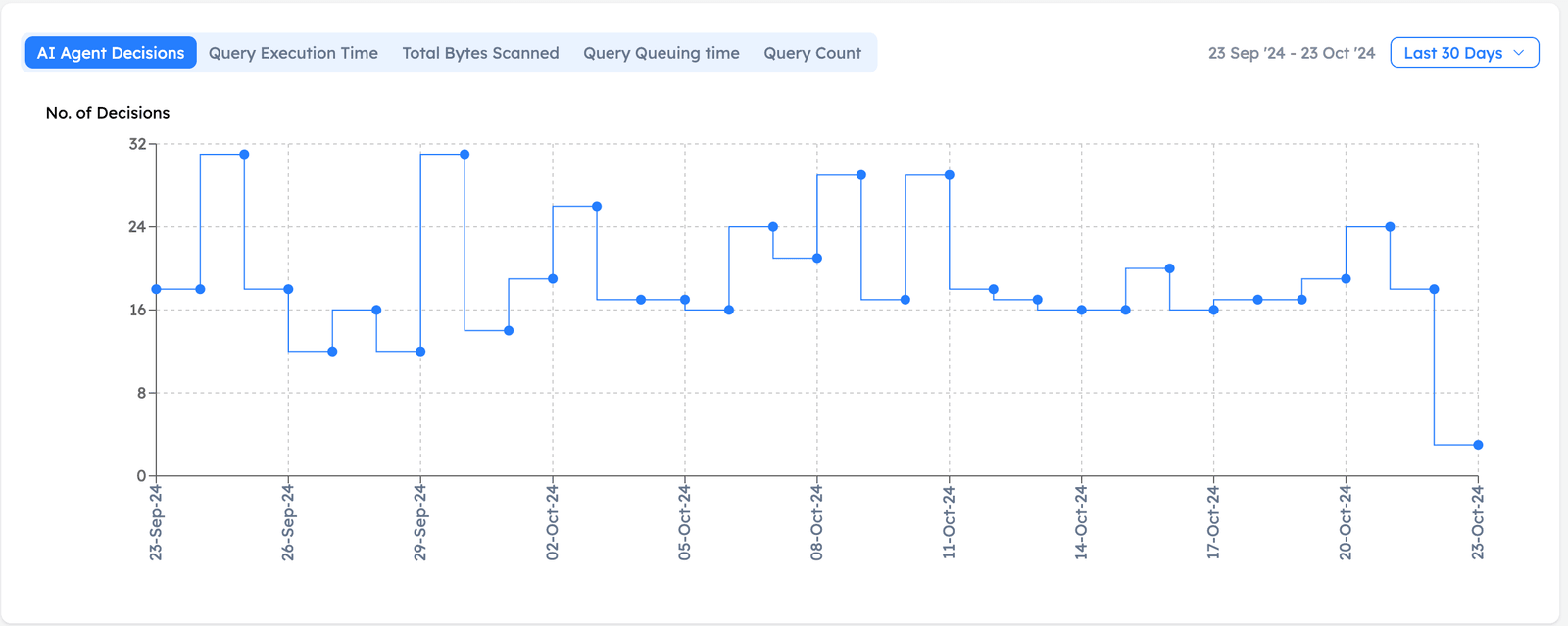
The screenshot above shows the frequency of AI Agent decisions used to monitor and adjust Snowflake to maximize performance and optimize costs.
For example, if an ELT pipeline normally needs a MEDIUM sized warehouse but regular end-of-month processing would justify an X4LARGE, an AI Agent could automatically identify the opportunity and even change the configuration subject to System Administrator approval. This would not only deliver results over 100 times faster, but it would avoid a common mistake made by almost every Snowflake customer, using an inappropriate virtual warehouse size, and effectively the largest possible machine for the highest expected workload.
Conclusion
While the cost of Cloud Services compute and even storage for Dynamic Tables is likely to negligible, we need to consider the cost of running a virtual warehouse.
With just three SQL statements, we reduced the maximum cost of this simple transformation pipeline from $6.3m per year down to $26,280.
To summarize what we learned:
Cloud Compute and Storage costs can (in most cases) be ignored. They shouldn't add significant cost to a pipeline deployed using a Dynamic Table.
Warehouse Costs however, can be remarkably high and lead to an eye-watering annual bill if deployed without thought.
Snowflake is not expensive! Like any tool, if used incorrectly it can lead to a poor outcome. Applying some common sense goes a long way.
TARGET_LAG: Is critical in determining the frequency with which a Dynamic Table query is executed. If the data changes frequently, it can lead to significant cost. Carefully choose a TARGET_LAG based on how fresh you need the data. Don't just set it to once per minute because you can.
Dynamically Change the lag: You can set up a simple schedule to suspend Dynamic Table refreshes or adjust the TARGET_LAG during off-peak or holiday periods. Suspending the refresh overnight will immediately reduce the costs by up to 50%.
Finally, in addition to manually adjusting Dynamic Table configuration, we could deploy AI Agents to autonomously monitor, alert or even tune Dynamic Tables to automatically achieve the almost impossibly complex goal of balancing the requirements of throughput, performance and cost.
Deliver more performance and cost savings with Altimate AI's cutting-edge AI teammates. These intelligent teammates come pre-loaded with the insights discussed in this article, enabling you to implement our recommendations across millions of queries and tables effortlessly. Ready to see it in action? Request a recorded demo by just sending a chat message (here) and discover how AI teammates can transform your data teams.